
Writing and Editing
I write everything in Scrivener (Affiliate link): the content of newsletters with Mailchimp and content for my blog. I own that content, so if anything ever happens to one of the other platforms, I have it.
I write my books (of course!), short stories, talks that I give at women’s retreats or conferences, blog posts, ad copy, even my last Kickstarter campaign story! Everything. If I kept online copies of recipes, I’d write those in Scrivener (Affiliate link), too!
From their website: “Scrivener is the go-to app for writers of all kinds, used every day by best-selling novelists, screenwriters, non-fiction writers, students, academics, lawyers, journalists, translators and more. Scrivener won’t tell you how to write—it simply provides everything you need to start writing and keep writing.”
When I first started writing books, I wrote each chapter synopsis on index cards, then pinned them on a cork board that my son bought for me. Worked better than when I lined all of the cards on our dining room table. Kinda made supper impossible!
When another author demonstrated the cork board feature on Scrivener, I freaked! That’s what I do and if I buy Scrivener, supper won’t be late!
It’s a one-time fee of $59.99. NO subscriptions. I checked 5 other writing software and they are all subscription fees! I no like subscriptions!
In my writing process, I print out my manuscript, find my Zebra’s red pen (Affiliate link), and read it out loud. Yep. Every word.
When I journal and doodle, I also am obsessed about Zebra’s G-301 Gel Retractable 0.7 mm, medium point in black (Affiliate link). Yes, obsessed! I buy the refills in bulk!
Journals. Now there’s a whole blog post by itself. I have many but these (Affiliate link) are favorites. They are available in bulk (90!) but this one is a four-pack. The covers are blank hardcovers—fun to add your own doodles and or stickers. I also have these (Affiliate link) in a four-pack also. Soft covers but still blank to add your own art/and/or stickers. The one I use for my homemade daily planner is this one, (Affiliate link) only in brown. It has a nice ribbon so I can mark my place. I divide it into quarters, then into weeks.
As I write books, I enter my corrections and edits back into Scrivener, do that several more times, then put it through ProWritingAid, a software that “helps you craft, polish, and elevate your writing.” So it tells me when (not if!) I used the word “just” three times in one sentence! I love it that I was able to purchase a lifetime plan and not … subscriptions!
It integrates with several writing software, Scrivener included. It digs “into exactly how to perfect your writing with 25+ reports that check for overused words, tired clichés, awkward phrasings, and more.” (Quotes are from their website. I am not an affiliate but I will be when they open applications again!)
ProWritingAid does not take the place of a physical editor, as in a human. Ever. But it saves a bit of money in editing costs. Easy to use and more updates all the time.
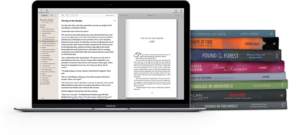
After I receive the book from my editor and have added in the corrections/suggestions, I am ready to format it. That means making the inside looking pretty: making sure each chapter begins on the right side, using the correct font for the genre, and again checking for wonky wording. I use Vellum (Affiliate link) for that. In my first book, I paid someone to format it. When I found Vellum, the software cost the same as one formatting, but if you purchase the Vellum Press (Affiliate link) version, which I did, you can format unlimited versions of ebooks and paperback. That version for unlimited books cost the same as paying someone to format ONE book!

0 Comments